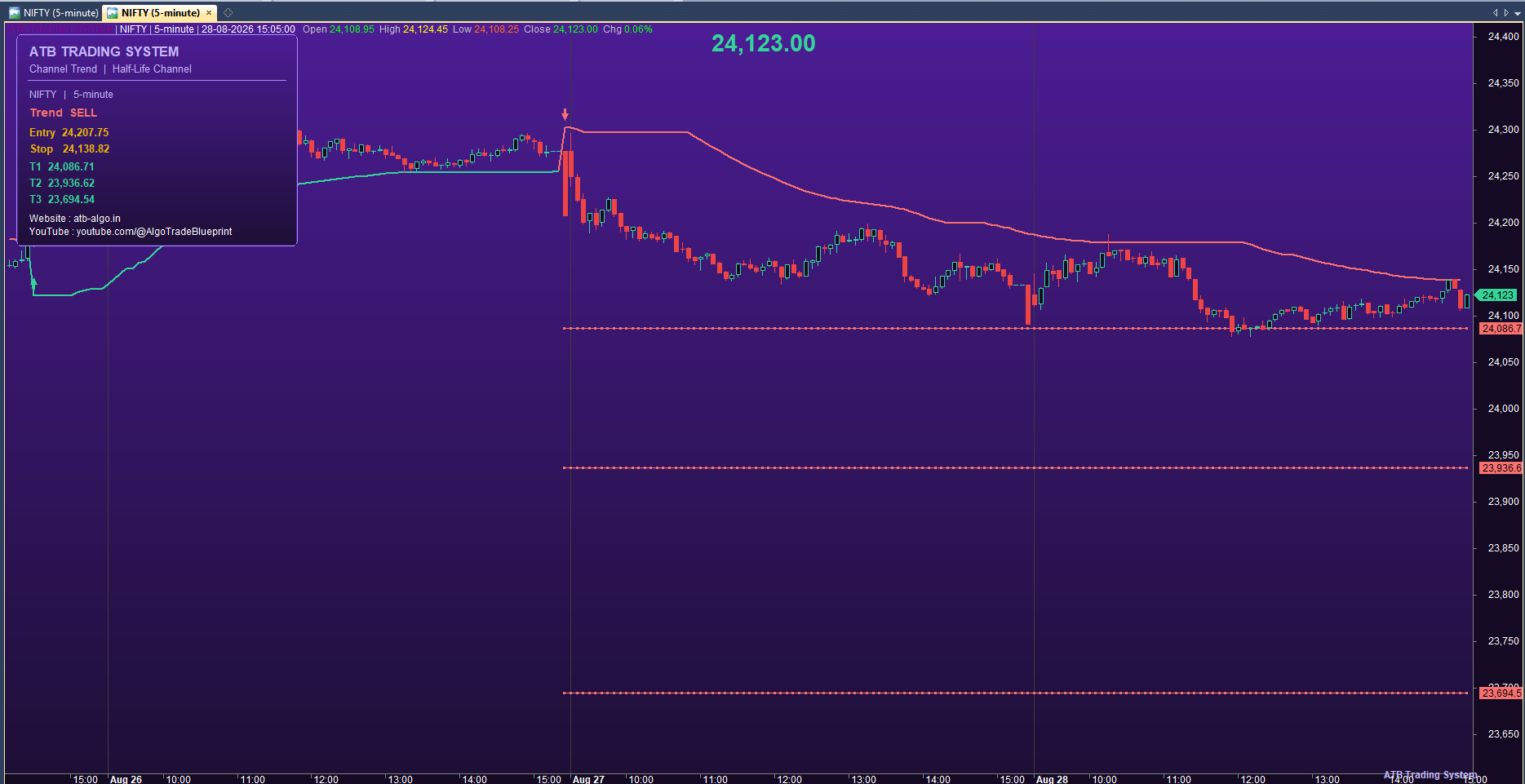
The ATB Trading System Channel Trend is an adaptive trend-following tool for AmiBroker. It builds a half-life channel from recent price highs and lows, then follows the trend with a green up-line and a red down-line. On each trend flip it marks a clear buy or sell arrow and plots your entry, stop, and three automatic target levels, so you have a complete trade plan right on the chart.
How It Works
- The system smooths the recent highs and lows into an adaptive channel using a half-life factor.
- It confirms strong moves with the highest-high and lowest-low functions.
- When the close breaks above the channel, the trend turns up; when it breaks below, the trend turns down.
- The channel keeps stepping with the trend, giving you a clean reference to trade against.
Entry & Exit Signals
- A green up-line marks the uptrend; a red down-line marks the downtrend.
- Buy / Sell arrows appear on each trend flip.
- The system plots your entry price, a stop loss, and three auto targets (T1, T2, T3).
- The info panel shows the current trend, entry, stop, and targets.
Settings Explained
- Channel HalfLife: controls how fast the channel reacts to price.
- Channel Length: the lookback window for the breakout confirmation.
- Candle Style / Show Price Title: appearance options.
Best Timeframes & Symbols
- Works on any chart or timeframe, from intraday to daily.
- Best on liquid, trending instruments.
How to Install in AmiBroker
- Open AmiBroker, right-click the Custom folder and select New → Formula.
- Paste the AFL code, save, and drag the formula onto an open chart.
- Use Parameters to adjust the channel half-life and length.
Pro Tips
- Use the trend line direction as your bias and the flip as your trigger.
- Let T1/T2/T3 or the stop manage the trade — no need to watch all day.
FAQ
- Does it repaint? No — the channel uses only available data.
- Can I scan with it? Yes — the built-in scanner finds fresh flips across your watchlist.
Educational purposes only — not financial advice. Trading involves substantial risk of loss. Test on demo data before live use.